Click to download now, finish the installation quickly, and directly unlock the all-round experience
Screenshots
Click to download now, finish the installation quickly, and directly unlock the all-round experience
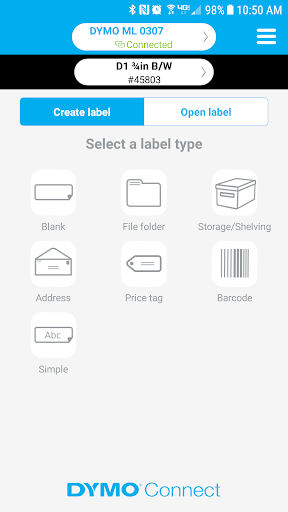
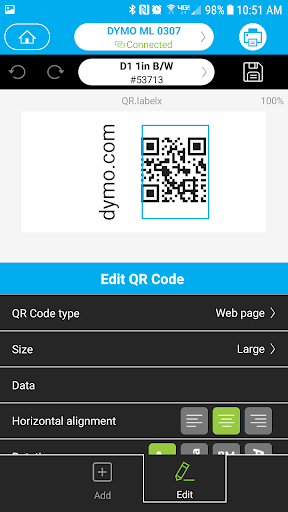
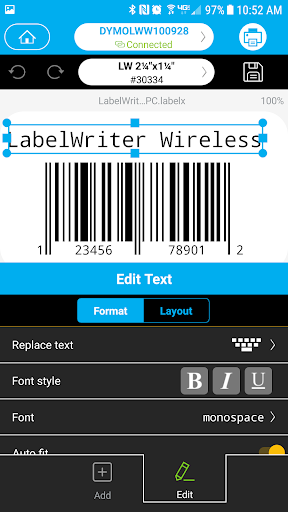
DYMO Connect lets you make and print labels from an Android phone or tablet. It is for people who use DYMO label printers and want to prepare labels on a mobile device, such as address labels, barcodes or QR codes.
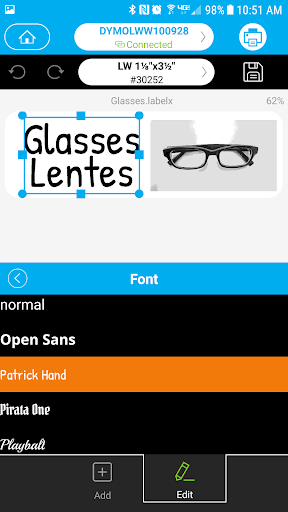
You can start with a label type or template, then adjust its text and appearance. The app supports fonts, borders, styles and pictures from your device’s image gallery. Spellcheck can help catch typing mistakes, and voice-to-text gives you another way to enter text.
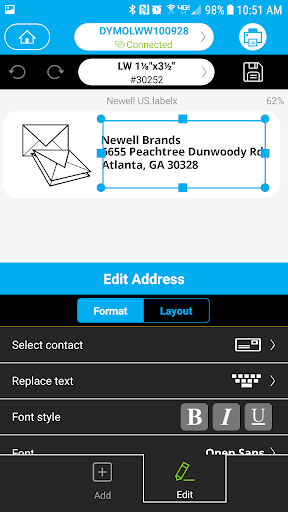
For address labels, you can use contact details from your phone. Barcode and QR code tools are also available for creating scannable labels. These features make the app more useful for home or workplace labelling than for general note-taking or document design.
Choose DYMO Connect if you already use a compatible DYMO printer and want to create labels without designing them on a computer. It may suit occasional jobs, like labelling folders or packages, as well as repeat tasks that benefit from saved designs. The app’s label-making features depend on having a DYMO printer to print the finished work.
DYMO is the developer. The app is listed in Productivity, has 100,000+ installs and a 1.56 rating from 1,047 ratings. That rating is low, so it is worth weighing user feedback before relying on the app for regular label work. The supplied details do not state an app price, Android version requirement or specific phone permissions.